
AD Infrastructure
In this project I built a small Windows domain inside my homelab to re-familiarize myself with Windows Server (2025), Active Directory infrastructure and domain administration.
In 2019, I ran a small home domain using Windows Server 2016. This was to manage devices used by my kids. Active Directory provided centralized management, device restrictions and allowed me to restrict changes through Group Policies
Shortly after, Microsoft released parental control features in Windows through Family Safety, which reduced the need for a local domain, as a result the original domain was eventually retired.
Since then most of my interaction with Active Directory has been at the operations level. At work I was working inside existing enterprise environments handling identity access, account lifecycles and group membership changes rather than operating the domain infrastructure itself.
This lab was built to refresh that infrastructure layer again by rebuilding a working domain from scratch.
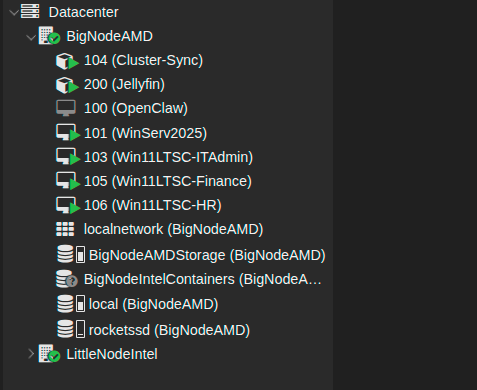
Virtualized Environment
The domain runs inside my existing Proxmox cluster.
Domain Controller:
WinServ2025
Department Workstations:
Win11LTSC-ITAdmin
Win11LTSC-Finance
Win11LTSC-HR
Each workstation represents a different department inside the simulated organization.
Virtualizing the lab makes it easy to deploy the domain to multiple Windows VMs. This separation also keeps the rest of the home network unaffected.
The domain controller provides the infrastructure roles required for a Windows domain:
Active Directory Domain Services
DNS
Group Policy Management
Once the domain controller was configured, the Windows VMs were deployed and joined to the domain to simulate workstation behavior.
Domain Join Delegation
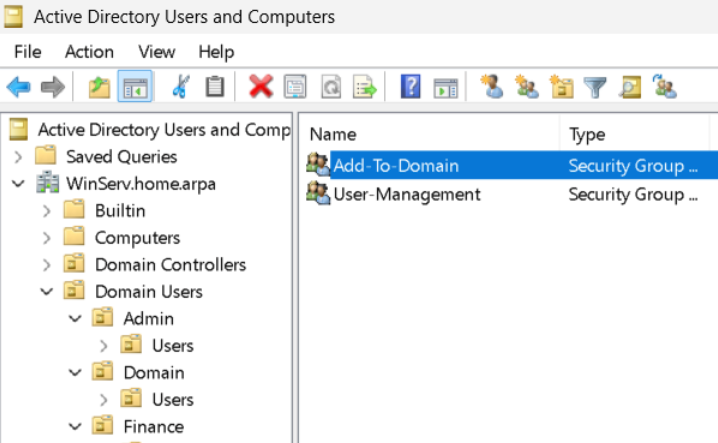
VMs in the lab are joined to the domain through a delegated security group rather than through direct admin rights.
An Add-To-Domain security group was created and granted the minimum permissions required to add systems inside their respective OUs.
IT support accounts that require the ability to join machines to the domain are added to this group instead of receiving elevated domain permissions directly.
I configured Delegation at the OU level using the delegation wizard.
The security group was granted create computer objects and delete computer objects.
This allows support users to join machines to the domain while preventing them from modifying other objects. This follows the Principle of Least Privilege (PoLP) by granting only the required permissions for specific operations while keeping domain admin privileges restricted to a separate class of users and groups.
Structured Organization
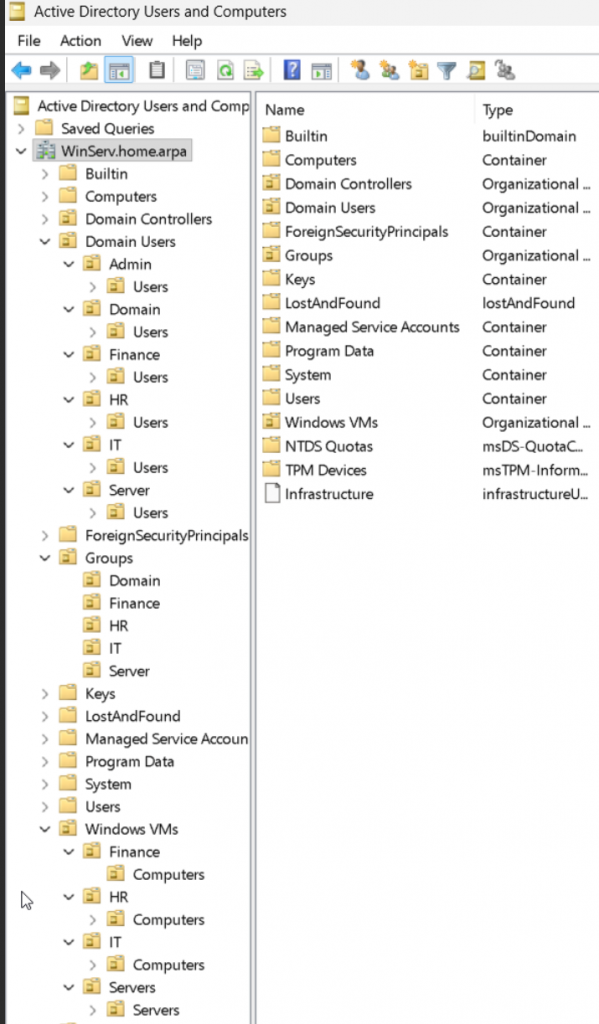
The domain uses Organizational Units to separate departments and roles.
The environment was structured to resemble a small organization with separate business units.
Departments created in the domain:
Finance
HR
IT
Each department contains dedicated locations for:
Users
Workstations
Separating departments allows policies to be applied more granularly and provides structure for testing Group Policy behavior across different users and machines.
Delegated Access
Delegation was implemented to simulate how support roles operate inside Corporate environments.
Instead of granting broad domain administrator privileges I created an IT support group and gave it limited permissions.
The delegated permissions allow support to perform operational tasks such as:
Joining computers to the domain
User Management (create, delete, reset passwords)
Group Policies
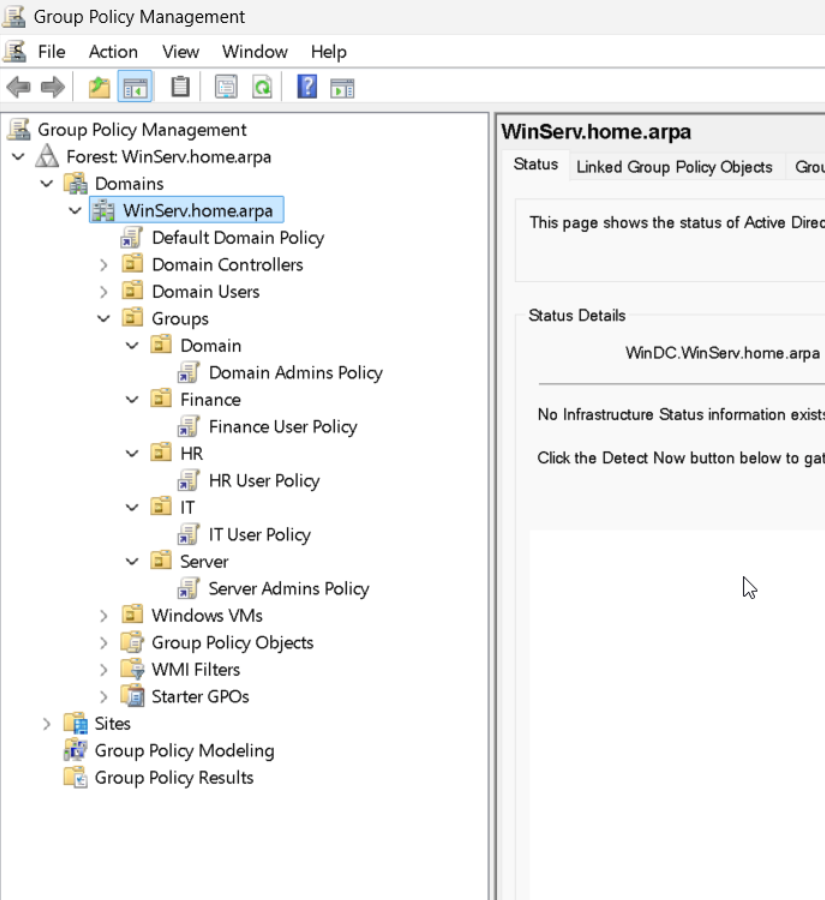
Group Policy is used to apply different restrictions to users and systems depending on their role.
The domain uses separate policies for:
Domain Admins
Server admins
IT Support
Finance users
HR users
Policies are linked at the OU level. This enables different departments and roles to receive different configurations.
This keeps user policies separate from administrative policies and allows each department to receive different restrictions.
GPO Separation
Department User Policies:
Finance and HR users receive baseline restrictions. These policies block system configuration changes such as Control Panel access and desktop customization.
IT Support Policy:
The IT support policy balances operational flexibility with security controls. Restrictions such as removable storage limitations and reduced credential caching help limit exposure.
Administration Policies:
A separate policy is applied to the server and domain administration OUs to enforce stricter controls on accounts interacting with infrastructure. These policies reduce credential persistence and restrict removable storage to lower the attack surface.
Security
Admin access in the domain is separated between administrators and operational support roles. Permissions are granted through role-based security groups and OU delegation, following the Principle of Least Privilege (PoLP).
Domain Administrators:
Domain administrators retain full control of Active Directory. These accounts are reserved for infrastructure tasks and are not used for routine operations.
Server Administrators:
Server administrators manage servers and systems but do not have full Active Directory control. These accounts are used for server maintenance, service configuration and administrative access.
IT Support:
Operational support users receive delegated permissions to perform limited administrative tasks. These permissions include joining workstations to the domain and AD users and groups.
Delegated Access
Delegation is implemented at the OU level. For example, the Add-To-Domain group is granted permission to create and delete computer objects only within specific OUs.
Operational Domain
VMs were successfully joined to the domain using the delegated permissions.
Group Policies were verified across departments to confirm OU and policy enforcement worked as expected.