
Proxmox Cluster
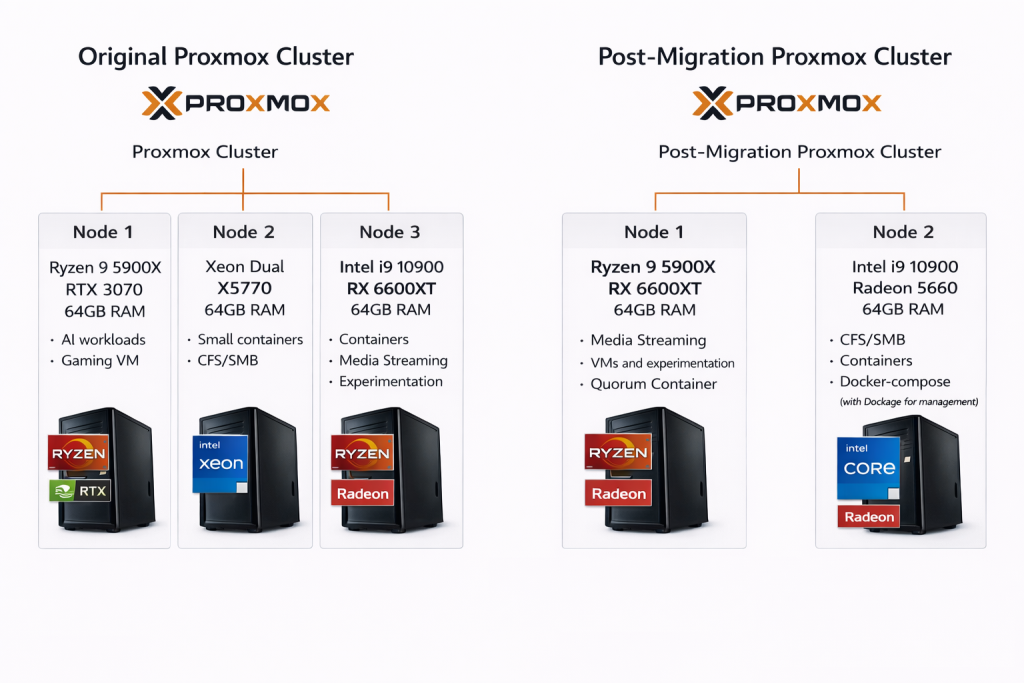
Built a Proxmox cluster to run virtual machines and containers for my home lab environment. The cluster originally spanned three nodes and later transitioned to two nodes with a quorum container to maintain cluster quorum. The environment hosts a mix of infrastructure services, SMB/NFS file shares, media workloads, and experimental systems used throughout the lab.
Scalable Multi-Node Cluster
Started the lab as a three-node Proxmox cluster so workloads could be distributed and managed from a single interface.
Later consolidated the cluster to two nodes and added a quorum container. Proxmox clusters require a majority vote to safely make changes and without quorum the cluster will refuse operations. The quorum container acts as a lightweight third vote so the two physical nodes can continue operating normally.
During this change I also retired an older dual-Xeon server to another project. This simplified the environment and removed aging hardware that was no longer secure to operate.
Containerized Workloads
I run services in containers such as a browser exiting out of a VPN, browser-accessible Kali Linux and an NGINX reverse proxy for service routing.
Running these workloads in containers allows me to isolate services and access them from anywhere on my network.
Gaming Virtual Machine
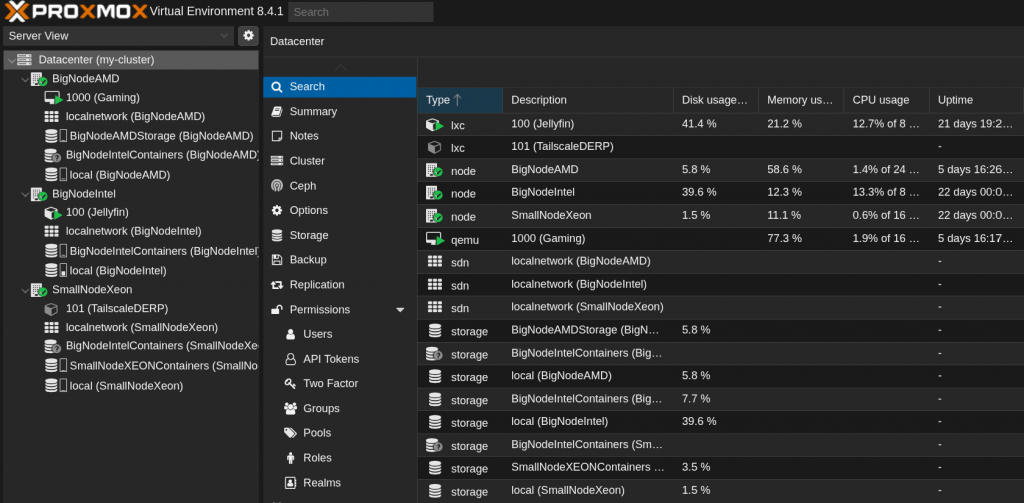
Originally ran a gaming system as a virtual machine using GPU passthrough with Sunshine so it could be streamed to other devices on my network.
Later migrated the VM to a dedicated physical machine (V2P migration). Hardware changes such as NIC or NVMe replacements caused PCI device IDs to shift and I was reconfiguring passthrough mappings each time. Moving the workload to a desktop simplified the setup and eliminated overhead.
This experiment helped me understand the tradeoffs between virtualization and running on bare metal.
Jellyfin Media Server
Run a Jellyfin media server in an LXC container to stream movies, TV shows, and music to devices around the house.
During the cluster migration, I moved the container between hosts (V2V), decommissioned the original node, reconfigured storage mounts in fstab and verified that GPU passthrough continued working correctly after the move (AMD → AMD GPU).
While building this cluster, I learned a lot about how to:
– Distributing workloads and resources across multiple cluster nodes
– Configuring SR-IOV and understanding how Linux handles device blacklisting and passthrough
– Interacting with services through HTTP APIs for management and automation
– Virtual network bridging and host networking within a Proxmox environment
– Editing container and VM configuration files and working with automation tooling