
Virtual Gaming Computer
In this project I built a Gaming VM with GPU passthrough using Proxmox and QEMU/KVM.
The goal was to passthrough a gaming GPU and assign it directly to a VM using VFIO, allowing Windows gaming workloads to run inside a virtualized environment while the host system remained Linux.
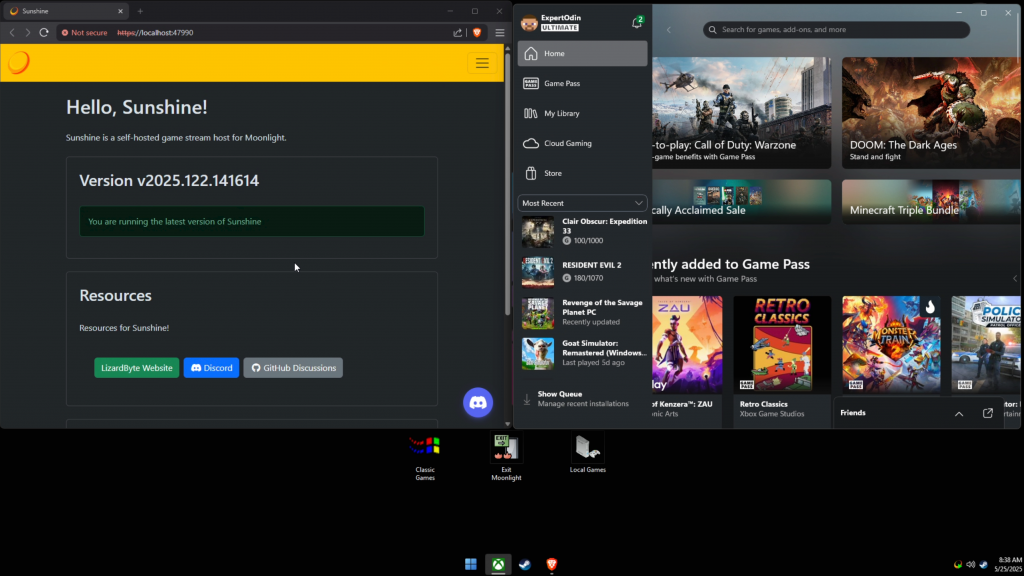
Gaming Virtual Machine
Configured a Windows 11 virtual machine in Proxmox using QEMU/KVM.
Assigned an RTX 3070 through PCIe passthrough along with a dedicated 2.5GbE NIC and 4TB NVMe drive for low-latency streaming.
BIOS Configuration
Enabled IOMMU in system firmware to allow PCIe device passthrough.
Adjusted BIOS settings to ensure the GPU and other PCIe devices were placed in separate IOMMU groups for VFIO passthrough.
VFIO in Linux
Configured VFIO kernel modules to bind the RTX 3070 to the virtual machine instead of the Linux host.
Updated GRUB boot parameters to enable IOMMU and ensure correct device isolation for passthrough.
Disabling NVIDIA Drivers
Prevented the NVIDIA proprietary drivers from loading on the host system so the GPU remained available for passthrough.
Used vfio-pci device binding to attach the GPU to the virtual machine during boot.
This project worked as intended, but the overhead and maintenance eventually became unsustainable. I later migrated the setup to dedicated Moonlight streaming hosts to simplify the architecture and improve reliability.
You can view that project here: Moonlight
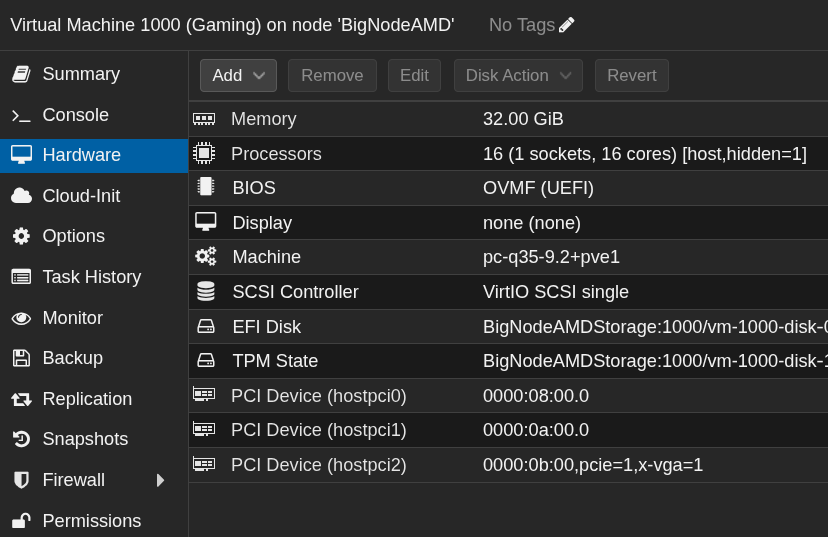
Optimised for Gaming Performance
Configured CPU pinning and hugepages to reduce virtualization overhead.
Applied custom CPU flags in Proxmox to improve compatibility and reduce detection of the virtualised environment by Windows and GPU drivers.
Sunshine/Moonlight Network Streaming
Installed Sunshine on the Windows VM to expose the system as a game streaming host.
Used Moonlight clients on other devices across the LAN to stream gameplay from the VM.
The VM was connected using a dedicated 2.5GbE NIC to minimize latency and maintain stable streaming across the network.
In the project I ran Windows gaming inside a Linux host while learning how GPU passthrough works.
I learned a better understanding of several concepts:
- PCIe passthrough using VFIO and IOMMU
- CPU pinning and memory hugepages for VM performance tuning
- How virtualization can be detected by guest operating systems and how CPU flags affect compatibility
- The impact of network latency on real-time streaming workloads
- Running Proxmox nodes headless and managing them entirely through the web interface
- Using Sunshine and Moonlight for local network game streaming
I discovered that NAT and shared NICs introduced latency. Moving the gaming VM onto a 2.5GbE Intel based NIC smoothed performance.